Derrops Guide to Naming Conventions and Segregation

· 27 min read
Derrick Futschik (Derrops)
Head of Engineering, Fortiro

I've been meaning to make this guide, having worked at a SAAS from the very get-go, I've now got to live with some good and some bad decisions. It's been very hard to pinpoint why the naming conventions have lead to complexity. And overtime I realized that with engineering, you often make decisions based on the tradeoffs, but ultimately you do optimize for something. If you don't figure out what that something should be, you end having a solution which is not optimized for the problem you are trying to solve.

Living with a SAAS for many years now start to finish, what I ended up finding that these conventions are more important than I initially thought, and have ramifications in many different areas:

AreaDescriptionJustification
CostAbility to optimize, track, and control spend across environments, services, or resources.Consistent naming and segregation make it easier to accurately allocate and monitor resource usage by environment, service, or team.
SecurityHow easily you can enforce and audit security boundaries and practices.Segregation and clear naming provide obvious boundaries for applying Least Privilege, monitoring access, and investigating incidents.
ComplexityThe overhead and cognitive load of understanding and managing environments and resources.Predictable conventions reduce ambiguity and make it simpler for everyone to locate, manage, and reason about resources.
MaintainabilityHow straightforward it is to update, refactor, or scale your environments and naming conventions.Uniform conventions mean changes can be made systematically, minimizing the risk of errors and excessive rework.
ScalabilityAbility to grow the number of services, accounts, or environments without hitting convention or collision issues.Good conventions prevent collisions and manual workarounds as your organization and environments scale.
UsabilityHow easy naming and segregation is for engineers and consumers to work with daily.Easy-to-understand resource names speed up onboarding and reduce misconfiguration by new and experienced engineers alike.
PerformanceInfluence of structure/naming on ability to optimize for latency, throughput, or efficiency.Logical segregation enables more effective resource grouping, which can positively impact locality, caching, or policy-based optimizations.
ReliabilityImpact on operational stability, incident response, and minimizing blast radius of issues.Separation by environment/service/domain helps contain failures and allows more targeted incident response.
AvailabilityAffect on uptime or redundancy due to naming/segregation conventions.Clear segregation facilitates independent deployments and failover, increasing uptime and resilience.
ComplianceHelps enforce regulatory, audit, and governance requirements more easily.Accurate, well-segregated naming enables easier reporting, automated policy enforcement, and audit compliance.

These areas can all be condensed into the following guiding principals

Guiding Principles

1. Naming Consistency Principle

Definition:
A given resource should have the same name in every environment—whether it’s dev, prod, or any other. For example, a resource called user-service should be named user-service in all environments, rather than user-service-dev or user-service-prod. Environment must be represented by namespace isolation, not naming convention.

Why it matters:
Consistent resource names dramatically simplify the process of grouping, querying, and managing deployment instances across various tools and platforms. It helps reduce cognitive load and operational complexity, especially as your infrastructure grows.

note

Globally unique name, such as with an s3 bucket, it can be that another customer on AWS takes the name of an S3 bucket that you had planned. One solution to this is including a random id within the name. But in general I've found this scenario rare, and losing predictability in the name which can lead to negative outcomes

note

Global services such as IAM which are global also may cause conflicts if you were to have more than 1 environment in an account Prefer Account per Environment if Possible


2. Naming Stability Principle

Definition:
Prioritize naming conventions that minimize how often resource names need to change over the lifetime of your systems. Choose prefixes or structures for your names that are unlikely to require revision as your organization and requirements evolve.

Why it matters:
Stable naming reduces refactoring, lowers risk of errors, and leads to smoother automation and scaling. The fewer changes needed, the more reliable and maintainable your environment will be in the long run. You'll also find that following this principal results in a better security posture, more on that later.

Segregation Strategy

Segregation needs to be done in a strategic way. Resources segregated differently can lead to drastically different outcomes. Following a consistent pattern for Segregation and Naming Conventions can lead ot many different benefits:

  • To avoid naming collisions
  • To reduce complexity by not adding unnecessary naming conventions to resources.
  • To make it easy to group resources across environments together. This is useful in filtering duplicates for security findings, as having different names for the same resources adds complexity to the queries needed
  • Easier to automate as resources are easier to target across different environments as they are named in a predictable way.
  • Within an environment, segregating services and organizations sharing an environment increases your security posture, as the prefixes can be used to scope access to resources and create access boundaries

Account Segregation

How you segregate your account will determine your name space, and therefore will affect your naming conventions. When creating accounts, modern patters would be to have 1 per region and environment, but there may be cases where you take a different approach again because of other factors related to: (*Cost&, Compliance, Security, etc). But do challenge this decision if you do not segregate, as there is now especially strong multi-account support in Cloud Providers such as AWS.

In general the more you segregate, the less likely you'll have naming collisions.

SegmentNameDescription
Region{region}If you don't segregate your Account by region, you will need to have {region} in the name of the resource to avoid collisions.
Environment{env}If you don't segregate your Account by environment, you will need to have {env} in the name of the resource to avoid collisions.
tip

Operationally if Deployment Instances have different names, it can create severe complexity when trying to groups those instances together in different DevOps tools and products. I've experienced this first hand when sifting through findings in AWS Security Hub. Just when you find a way within a given tool to group these resources and solve this, as your organization grows and adopts new tools you find yourself being faced with this issue again and again for every tool you use.

note

Consider comparing 2 x Lambda functions foobar, in 2 different environments dev and prod. If the Deployment Instances have different names, your query will need to have an OR clause to include both, foobar-dev or foobar-prod and then also have the group by environment anyway. Whereas if they have the same name, there is no need for a clause on the name. Excluding environment reduces the mental load in many different scenarios.

Prefixing

Segregation Hierarchy

Prefix Structure

Structuring your names correctly is key to the success of your naming conventions.

If your config store is NOT located in the same namespace as the resource, you will have to have {env} in your naming conventions. It's challenging where to put {env}, as there are tradeoffs Also note if your config store is NOT in the same {region}, then you will need to have {region} in your naming conventions.

Segment Definitions

SegmentExampleDescription
{region}ap-southeast-2(Optional if platform will be multi-region) The region of the deployment. This may be required if you are not going to segregate your regions by accounts, then there will be conflicts as some services are global (AWS IAM) or share the same namespace (such as S3 Buckets which must be unique across all regions). Deciding to have different accounts for different regions mitigates this issue, but this decision can sometimes be taking other factors into account than this guide. Note this is the Datacenter Region (e.g. ap-southeast-2), not the country itself.
{env}dev(Only if Required) The deployment environment. Only required in the prefix, when the config key lives in a different namespace than the resource accessing it. If your config is stored in the same account or namespace as the resource, this segment is redundant and should be omitted. However if a globally unique name is required, such as with an s3 bucket, this this will be required in the prefix.
{org}acmeThe top-level tenant or business unit. Provides hard namespace isolation. Chosen to be stable and long-lived—changes are rare and treated as a migration event.
{domain}paymentsA bounded business or technical capability that can be owned and reasoned about independently. More stable than a team name, more meaningful than a platform label.
{service}checkout-apiThe concrete, deployable unit within a domain. Specific enough to be unambiguous, broad enough to own multiple configuration values beneath it.
{partition}2024/01/15/14(Optional — data partitioning only) A runtime-determined subdivision used to group high-volume data into discrete, filterable sets. Most common in data storage contexts such as S3 log or event data. {partition} is the only segment permitted to contain internal hierarchical delimiters — a single partition can represent multiple levels of granularity (e.g. {year}/{month}/{day}/{hour}), each of which remains a valid, queryable prefix boundary. All other segments must be flat and contain no internal delimiters. Not applicable to config stores or resource naming.
{key}stripe-webhook-secretThe final, addressable artifact. Everything above it is context and namespace — {key} is the specific thing being referenced. The form varies by system: a config parameter name (stripe-webhook-secret), a filename (transactions.json), or an image tag (1.2.3) — but the concept is always the same: it uniquely identifies the artifact within its namespace. A new segment is only warranted when it creates a meaningful operational boundary — a prefix you would independently query. System-generated uniqueness suffixes (e.g. sequence numbers appended by parallel writers like Kinesis Firehose or Spark) do not qualify; they carry no business meaning and are simply part of {key}, but do not make up part of the identity.

Segment Order

It is sometimes said:

Good architecture makes change easy. Bad architecture makes change hard.

Therefore in this decision we should optimize for making Change Easy, which would dictate the

stability should decrease left to right in a prefix

  • Changing leftmost segments causes the greatest disruption.
  • Renaming service only affects its subtree.

Therefore it makes sense the order of the segments should be the most stable to the least stable:

Segment Stability

SegmentQuestionStabilityScope BoundaryStability
{region}Where in the world?Extremely HighInfrastructure locality boundaryfor all intensive purposes will never change
{env}Which deployment stage?Extremely HighDeployment lifecycle boundaryfor all intensive purposes will never change
{org}Who owns the resource?Very HighOwnership boundarychanges almost never, unless re-org
{domain}What business capability?HighCapability boundarychanges rarely, capabilities outlive teams, only if domain is modelled differently and refactored
{service}Which deployable unit?MediumDeployment unit boundarychanges occasionally, deployable units get renamed, split or merged
{partition}How is data subdivided?Very Low (Optional)Data partitioning boundarychanges constantly; new values generated at runtime (e.g. a new date partition every day). Only relevant for data storage — omit everywhere else
{key}What configuration value?LowConfiguration/value boundarychanges most frequently

Fully Qualified Examples

ExampleValue
Hierarchical (config stores)/ap-southeast-2/prod/acme/payments/checkout-api/stripe-webhook-secret
Compound kebab-case (resource names)/ap-southeast-2/prod/acme/payments/checkout-api/stripe-webhook-secret
Account-segregated (preferred):acme--payments--checkout-api--stripe-webhook-secret
Data storage with partition (S3 object key)acme/payments/checkout-api/2024-01-15/transactions.json

Delimiters

Now that we have segments, and their order, we need to decide on the delimiters to use. Here are some possible candidates evaluated over different resource types. You'll see that the - is most supported. _ is a strong candidate but fails when it comes to host names and S3 bucket names.

Possible Candidates for Delimiters:

DelimiterHostnameAWS Stack Name (CloudFormation)URL PathS3 Bucket NameSafe Across ALL?Notes
- hyphen✅ Yes✅ Yes✅ Yes✅ Yes⭐ Yes (BEST)Universal standard. Recommended everywhere.
_ underscore❌ No✅ Yes✅ Yes❌ No❌ NoBreaks hostname and S3 bucket compatibility
. dot✅ Yes✅ Yes✅ Yes✅ Yes (with caveats)⚠️ ConditionalBreaks TLS wildcard matching, avoid in bucket names
/ slash❌ No❌ No✅ Yes❌ No (delimiter only in key)❌ NoOnly valid as URL path separator
space❌ No❌ No❌ Encoded❌ No❌ NoNever use
-- double hyphen✅ Yes✅ Yes✅ Yes✅ Yes⭐ YesCommon and safe variant

There are different types of delimiters. Sometimes we are representing differences between the different segments of the prefix, other times we are representing differences between the different words with the same segment. Therefore we need a delimiter for each case. As - is the only supported delimiter for all resource types, including another is not ideal because it will reduce the resources types which can follow that convention. Instead the -- is used to delimit between the different segments of the prefix, and a - is used to delimit between the different words with the same segment.

Naming ConventionPriorityResource TypeDelimiterWord DelimiterDescriptionExample
hierarchical-case1Config Keys/-Hierarchical naming convention using a path-style namespace, useful for configuration keys./acme/store/checkout/api-key
compound kebab-case2Resource IDs---Kebab-case is URL and code friendly; more acceptable than underscores for most services, especially for resource IDs.acme--store--checkout--api-feature
  • Often 1 is not possible as a name (for example IAC solutions such as AWS Cloudformation)
  • - is preferred over _ as it is more URL friendly (can appear in the host name where as underscore cannot).
  • -- whilst this doesn't look the most pleasing to the eye, it is more URL friendly and distinguishes between the hierarchial delimiters and word delimiters.
  • other tools will not use -- as a delimiter, so using it as a delimiter in the prefix for a key will not be compatible with other tools.

Native Delimiters

note

If a resource already has native support for a delimiter, it should be used instead of the -- delimiter, such as / in AWS S3, for storing objects. Otherwise you would lose functionality such as using the prefix to filter objects in a bucket.

note

An exception to this rule might be when you plan on centralizing data collection, and you want all data to be stored in a single location. You may want to preemptively segregate the data in each environment already, even though there will be only 1 segment, to simplify the sync operation.

note

We will assume going forward there is only 1 region, so there is no need for segregation by region, but if there wasn't, region would need to be included in the prefix

Full example:

  1. /{org}/{domain}/{service}/{key} => /acme/payments/checkout-api/stripe-webhook-secret
  2. {org}--{domain}--{service}--{key} => acme--payments--checkout-api--stripe-webhook-secret

Rational for Convention

Every prefix is a meaningful operational boundary

Account-segregated (preferred) — config store:

PrefixBoundaryExample Operation
/acme/*Entire orgAudit all config across the org
/acme/payments/*DomainGrant the payments team read access to their config
/acme/payments/checkout-api/*ServiceFetch all config for a service on startup
/acme/payments/checkout-api/stripe-webhook-secretValueRead a specific secret

Account-segregated — data storage with partition (e.g. S3 log data):

PrefixBoundaryExample Operation
acme/Entire orgReplicate all org data to a central bucket
acme/payments/DomainProcess all events owned by payments
acme/payments/checkout-api/ServiceBackfill or reprocess all logs for a service
acme/payments/checkout-api/2024/Partition — yearArchive or aggregate a full year of data
acme/payments/checkout-api/2024/01/Partition — monthLoad a month's data into a warehouse
acme/payments/checkout-api/2024/01/15/Partition — dayReplay a day's events or run a daily job
acme/payments/checkout-api/2024/01/15/14/Partition — hourDownload all log data for a specific hour
acme/payments/checkout-api/2024/01/15/14/transactions-00001.jsonValueFetch a specific log file

Non-account-segregated — env and region included:

PrefixBoundaryExample Operation
/ap-southeast-2/*RegionList all resources in a region
/ap-southeast-2/prod/*EnvironmentAudit all production config
/ap-southeast-2/prod/acme/*OrgFetch all org config in that env
/ap-southeast-2/prod/acme/payments/*DomainGrant payments access to their prod config
/ap-southeast-2/prod/acme/payments/checkout-api/*ServiceFetch all config for a service on startup
/ap-southeast-2/prod/acme/payments/checkout-api/stripe-webhook-secretValueRead a specific secret

Segment Definitions

Region

The region identifies the physical or logical infrastructure region where the deployment instance resides.

Examples:

  • ap-southeast-2
  • us-east-1
  • eu-west-1

Org

The org identifies the top-level organizational boundary. Which department owns the resource.

note

Not the team itself as teams can change more frequently than the org itself, otherwise this becomes too unstable to use as a namespace boundary.

Domain

  • Encodes business capability rather than org structure — capabilities are far more stable than teams or products over time
  • Well understood in modern engineering culture thanks to DDD, Team Topologies, and microservices discourse
  • Naturally guides correct usage — engineers intuitively know whether something belongs to payments or identity
  • Aligns with how most mature orgs already think about their architecture, even if they don't use the word

Service

The service represents the concrete deployable unit. This is the actual runtime component which is typically the primary identity engineers interact with..

Examples:

  • checkout-api
  • auth-service
  • webhook-worker
  • billing-scheduler

Deployment Units could be in the form of:

  • Lambda function
  • Microservice

Key

The key identifies a specific configuration value, secret, resource, or parameter belonging to a service. Represents the exact value being referenced. Everything to the left provides context.

  • Created
  • Deleted
  • Renamed
  • Rotated
note

Optional: This principal, when dogmatically applied may mean that you segregate data in an environment, even when there will only be 1 segment, to simplify the sync operation to a central location later. As the end destination will need to be segmented, but the source data not necessarily. But by segregating the data in the source we achieve this principle.

This contradicts another principle in guiding how to segregate data, which would say if you only were going to have 1 segment, you should not segregate the data in the first place. But if you can see the future, and you know that you are going to combine data together, then you are best off already pre-paring for this scenario so it doesn't hit you later.

Tagging (Suggestions)

Tagging Env

Many would argue that you need to tag every resource with what environment it lives in. I would argue that if you are segregating environments by accounts, then tags are redundant. Tagging resources would then violate the DRY Do Not Repeat Yourself principle, and add to overhead in needing more unnecessary tagging policies. Whilst it's fairly easy to tag resources you manage, sometimes tools or other entities manage resources in your account and it can be problematic to tag them.

Account itself is a stronger way (than tagging) to group resources across an environment together, as an Account is an actual container for resources, and not just a label. It's easier to make mistakes and not tag a resource for some amount of time, cause cost allocation calculations to be incorrect, whereas usage by Account is always accurate.

If there is some other need to tag resources, such as for security or compliance or because of a tool or service you are using. Then have the Account the source of truth and perform batch tagging as needed. This will reduce the Maintainability.

Concrete Examples:

For the naming convention we don't want to have the {env} and {region} because of the Naming Consistency Principle. But because of uniqueness constraints within a namespace this is not always possible. See uniqueness constraints below:

Uniqueness Constraints

ServiceScope BoundaryregionenvExample
Global NamespaceGlobally Unique across all NamespacesAWS S3 Bucket
Global ServiceUnique in all Regions within a NamespaceIAM Role Name
Regional NamespaceUnique in a Region within a Scope BoundaryRDS Instance Identifier

Concrete Example

Resource TypeScopeGlobal?Physical Name{region} required{env} requiredRationale
S3 BucketGlobalap-southeast-2--prod--acme--payments--checkout-api--backup-storageMust be globally unique
Route53 Hosted ZoneGlobalprod.acme.comEach env account is delegated its own subdomain of the apex domain
Route53 RecordZone scopecheckout-api.prod.acme.comDNS global namespace
CloudFront Distribution AliasGlobalcheckout-api.prod.acme.comGlobal DNS namespace
ACM Certificate DomainGlobalcheckout-api.prod.acme.comGlobal DNS namespace
S3 Static WebsiteGlobalprod.acme-checkout-apiGlobal namespace

Following Native Hierarchies

Many systems have their own built-in hierarchical constructs — path delimiters, subdomain delegation, namespace scoping. When a system already provides a hierarchy, map your naming segments onto it rather than encoding structure into flat compound names.

If the system provides a hierarchy, use it. Don't fight it.

The same logical segments ({org}, {env}, {domain}, {service}, {key}) apply regardless of the system — only the direction, delimiter, and order may differ. Mapping onto native hierarchies preserves the system's built-in ability to filter, delegate, and scope by prefix or level.

Why Use Native Hierarchies?

Native hierarchies provide critical operational benefits that flat compound names cannot:

  1. Prefix Filtering & Querying - Systems like S3, SSM, and CloudWatch Logs support prefix-based queries, enabling you to fetch all resources for an org, domain, or service in a single operation
  2. Permission Scoping - IAM and other RBAC systems can grant access via path prefixes, enabling least-privilege access without listing every resource
  3. Console Organization - AWS console and CLI tools can drill-down and organize resources hierarchically, improving usability
  4. Operational Boundaries - Each prefix level becomes a meaningful operational boundary for automation, monitoring, and access control

Priority Decision: Native Hierarchy vs. Compound Naming

When naming a resource, follow this priority:

  1. Does the service support native hierarchy? → Use the native hierarchy with its delimiter (/, ., :, etc.)
  2. No native hierarchy? → Use compound kebab-case with -- segment delimiters and - word delimiters

Example - CloudWatch Metrics (Critical Pattern):

CloudWatch Metrics have THREE naming components, each serving a distinct purpose:

ComponentWhat Goes HereDelimiterExamplePurpose
Namespace{org}/{domain} ONLY/acme/paymentsOrganize metrics by business capability; enables filtering by domain
Dimensionsservice={service} + operational metadataKey-value pairsservice=checkout-api (env via account, NOT dimension)Enable cross-service queries; query "all services in payments with high CPU"
Metric NameSpecific metric being measured- for wordsrequest-count, error-rate, latency-p99Identify what is being measured

❌ WRONG: Encoding service in namespace → Namespace: acme/payments/checkout-api, Metric: request-count

  • Problem: Cannot query across services ("show me high CPU for ALL services in payments")
  • You'd need separate queries for each service

✅ RIGHT: Service as a dimension → Namespace: acme/payments, Dimension: service=checkout-api, Metric: request-count

  • Env handling (account-segregated, RECOMMENDED): Each account's metrics are naturally isolated; no env dimension needed
    • Prod account metrics: acme/payments namespace, service=checkout-api dimension
    • Dev account metrics: acme/payments namespace, service=checkout-api dimension
    • Permission boundary = AWS account; queries automatically scoped by account access
  • Env handling (if NOT account-segregated): Add env dimension for isolation
    • Both environments in same account: service=checkout-api,env=prod vs service=checkout-api,env=dev
    • But you must manage IAM permissions to prevent cross-env visibility
  • Result: Maximize query utility (cross-service queries) while maintaining permission boundaries

Services with Native Hierarchies

ServiceHierarchy TypeDelimiterBenefitExample
S3 Object KeysPath-based/Prefix filtering, object organizationacme/payments/checkout-api/schema.sql
SSM Parameter StorePath-based/GetParametersByPath queries, IAM path scoping/acme/payments/checkout-api/stripe-key
Secrets ManagerPath-based/Organized secrets, prefix filteringacme/payments/checkout-api/db-password
IAM PathsPath-based/Permission scoping, least privilege/acme/payments/checkout-api/
ECRPath-based/Repository organizationacme/payments/checkout-api
CloudWatch LogsPath-based/Log group filtering and organization/acme/payments/checkout-api/logs
CloudWatch MetricsNamespace + Dimensions/ (namespace), key-value (dims)Namespace: acme/payments; Dimension: service=checkout-api; enables cross-service queriesacme/payments (namespace) + service=checkout-api (dimension)
OpenSearchIndex patterns/Time-series index organizationacme/payments/checkout-api/transactions/2024-01-15
Route53 DNSSubdomain.Zone delegation, DNS hierarchycheckout-api.payments.acme.com
KafkaTopic dots.Topic organization and consumer scopingacme.payments.checkout-api.events

DNS

DNS naming is a special case where the hierarchy is reversed compared to prefix-based naming conventions.

Prefix-based systems grow left → right:

/{org}/{domain}/{service}

DNS grows right → left:

{service}.{env}.{org}.com

Both represent the same logical hierarchy in opposite directions.

Core Principle

DNS names must preserve the same logical hierarchy as prefixes, but in reverse order.

PrefixDNS Equivalent
/acme/payments/checkout-apicheckout-api.payments.acme.com
/acme/identity/auth-serviceauth-service.identity.acme.com
/acme/portal/webweb.portal.acme.com

Hierarchy equivalence:

Logical LevelPrefixDNS
Orgacmeacme.com
Domainpaymentspayments.acme.com
Servicecheckout-apicheckout-api.payments.acme.com

Environment Inclusion

Environment appears in DNS between the service and the org:

{service}.{env}.{org}.com

Each environment account is delegated its own subdomain of the apex domain:

checkout-api.prod.acme.com   (prod account owns prod.acme.com)
checkout-api.dev.acme.com (dev account owns dev.acme.com)

The apex domain (acme.com) is managed in a central network or DNS account. Each environment account is delegated a subdomain (prod.acme.com, dev.acme.com), giving that account full ownership and autonomy over its DNS records. This mirrors how account segregation provides namespace isolation — the subdomain is the account's namespace in DNS.

Any new service deployed into an account is automatically under that account's subdomain, with no coordination required at the apex level.

Alternative (apex zone per account, no env in DNS):

checkout-api.payments.acme.com

Same name exists independently in each environment account. Env isolation is provided entirely by the account boundary with no qualifier in the URL.

Route53 Hosted Zone Strategy

Preferred:

The apex domain (acme.com) is managed in a central account. Each environment account is delegated its own subdomain via NS record delegation:

prod.acme.com   (prod account)
dev.acme.com (dev account)
uat.acme.com (uat account)

Services are then addressed as {service}.{env}.{org}.com:

checkout-api.prod.acme.com

Each account has full autonomy over its subdomain. Adding a new service or record requires no changes to the central apex zone. The apex zone only needs to be updated when a new environment account is onboarded.

Alternative (apex zone per account):

acme.com

Environment isolation is provided entirely by the account boundary. No env qualifier appears in DNS.

Summary

Prefix ConventionDNS Convention
{org}/{domain}/{service}{service}.{env}.{org}.com
Hierarchy grows left → rightHierarchy grows right → left
Namespace via accountNamespace via env subdomain
Logical identity preservedLogical identity preserved

DNS is not an exception to the naming convention — it is the same hierarchy represented in reverse due to DNS delegation design.


AWS SSM Parameter Store

SSM Parameter Store uses / as a native path delimiter and supports GetParametersByPath to fetch all parameters under a given prefix. Use it directly as the segment delimiter — it is the hierarchical naming convention with no translation required.

/{org}/{domain}/{service}/{key}
/acme/payments/checkout-api/stripe-webhook-secret

Every prefix is a valid, queryable operational boundary:

PathMeaning
/acme/*All parameters for the org
/acme/payments/*All parameters owned by payments
/acme/payments/checkout-api/*All parameters for a specific service
/acme/payments/checkout-api/stripe-webhook-secretA specific value
tip

IAM policies can scope access using path prefixes. A role for checkout-api can be granted access to only /acme/payments/checkout-api/*, with no wildcard bleed into sibling services or domains.

If the Parameter Store is not account-segregated by environment, add {env} after {org}:

/{org}/{env}/{domain}/{service}/{key}
/acme/prod/payments/checkout-api/stripe-webhook-secret

AWS S3 Object Keys

S3 object keys use / as a logical prefix delimiter. ListObjectsV2 accepts a Prefix parameter, making it efficient to list or process objects scoped to any segment boundary.

For most resources (e.g. application artefacts, backups), the standard hierarchy applies:

{org}/{domain}/{service}/{key}
acme/payments/checkout-api/schema-v3.sql

When storing high-volume data such as logs or events — where output is continuous and needs to be queried or processed in discrete chunks — add {partition} before {key}:

{org}/{domain}/{service}/{partition}/{key}
acme/payments/checkout-api/2024/01/15/14/transactions-00001.json

In this context {key} is the filename — the same segment, just a different form. {partition} groups many such {key} values into a queryable set.

{partition} is the only segment permitted to contain internal hierarchical delimiters. This allows a partition to span multiple levels of granularity within a single logical segment — for example, time-series log data is commonly partitioned as {year}/{month}/{day}/{hour}. Every sub-level of the partition remains a valid prefix boundary. All other segments must be flat.

Prefix boundaries remain meaningful at every level, including within the partition itself:

PrefixScope
acme/All objects for the org
acme/payments/All objects owned by payments
acme/payments/checkout-api/All objects for a specific service
acme/payments/checkout-api/2024/All log data for a given year
acme/payments/checkout-api/2024/01/All log data for a given month
acme/payments/checkout-api/2024/01/15/All log data for a given day
acme/payments/checkout-api/2024/01/15/14/All log data for a specific hour — download or replay that time window
acme/payments/checkout-api/2024/01/15/14/transactions-00001.jsonA specific log file
note

S3 bucket names are globally unique and require {env} and often {region} in the bucket name itself (see Concrete Examples above). But within the bucket, object key prefixes follow the standard hierarchy without {env} — the bucket name is already the environment boundary.


AWS IAM Paths

IAM roles, users, groups, and policies support an optional /path/ prefix that can be used to organise resources and scope access via IAM policy conditions (iam:ResourceTag or path-based conditions).

/{org}/{domain}/{service}/
/acme/payments/checkout-api/

A policy granting cross-service access to everything under payments:

"Resource": "arn:aws:iam::*:role/acme/payments/*"
IAM PathScope
/acme/*All roles in the org
/acme/payments/*All roles owned by payments
/acme/payments/checkout-api/*All roles for a specific service

Container Image Registries

Container registries such as ECR, Docker Hub, and GHCR use a {registry}/{namespace}/{image}:{tag} structure. Map org and domain onto the namespace hierarchy, with the image tag serving as {key}:

{registry}/{org}/{domain}/{service}:{key}

The : is the native delimiter for the tag in image references — the same role / plays in path hierarchies. {key} here is the image tag (e.g. 1.2.3): the final identifier that specifies exactly which artifact is being pulled.

Examples:

RegistryExample
ECR123456789.dkr.ecr.ap-southeast-2.amazonaws.com/acme/payments/checkout-api:1.2.3
Docker Hubdocker.io/acme/checkout-api:1.2.3
GHCRghcr.io/acme/checkout-api:1.2.3

{key} encodes the version, not the environment. Environment is determined by which account pulls and runs the image, not by the image reference itself.

Cross cutting secrets/config

info

Sometimes there will be cross cutting secrets/config which do not belong to any one particular domain, service or organization. Such as if the organization has purchased a service to be used by 2 different orgs. If this configuration cannot be definitively assigned to one or the other, then it should be stored in a cross cutting location, and permissions will need to be explicitly granted, rather than relying on prefix conventions.

Logical Name vs Physical Name

Logical Name: checkout-api

Physical Deployment Instance: Account: prod Region: ap-southeast-2 Name: checkout-api

Fully Qualified Identity: ap-southeast-2/prod/checkout-api

Name remains constant. Namespace varies.

Deployment Instance

A Deployment Instance is a concrete runtime instantiation of a logical resource within a specific namespace.

Example:

Logical Resource: checkout-api

Deployment Instances:

  • Account: dev → checkout-api
  • Account: prod → checkout-api
  • Account: uat → checkout-api

All share the same logical name but exist in different namespaces.

Naming Cheatsheet for best Pracices

· 16 min read
Derrick Futschik (Derrops)
Head of Engineering, Fortiro

Quick reference guide for naming AWS resources following the Derrops conventions. All examples assume account-segregated environments (preferred approach).

Core Format: {org}--{domain}--{service}--{key} (compound kebab-case with -- segment delimiters)


Template Variables Reference

Before using this cheatsheet, understand what each placeholder means:

VariableDefinitionExampleRequired?Notes
{region}AWS region codeap-southeast-2, us-east-1, eu-west-1✅ Only for globally unique services (S3, CloudFront, ACM, Route53)Omit if using account-per-region segregation
{env}Deployment environmentprod, dev, staging, uat✅ Only for globally unique services (S3) or DNSOmit if using account-per-environment segregation (recommended)
{org}Organization/top-level business unitacme, mycompany, client-name✅ Always requiredMost stable segment; rarely changes
{domain}Business capability / bounded domainpayments, identity, analytics, platform✅ Always requiredOwned independently; more stable than teams
{service}Deployable service unitcheckout-api, auth-service, webhook-worker✅ Always requiredThe primary identity; can be renamed/refactored
{key}Specific resource or config within servicetransactions, webhook-secret, primary, cache✅ Always requiredPurpose-specific identifier; changes frequently
{partition}Data partition grouping (logs, events only)2024/01/15/14, 2024-01-15❌ Optional; data storage onlyOnly for time-series or partitioned data in S3/Glue
{purpose}Functional purposealb, db, lambda, encryption-enabled✅ When needed for clarityQualifies the resource type
{type}Resource subtypeweb, worker, private, public, primary, replica✅ When distinguishing variantsMakes specific instances identifiable
{az}Availability zone1a, 1b, 1c✅ For multi-AZ resourcesEnsures subnets are distributed
{consumer}API consumer/clientmobile-client, partner-integrations, internal✅ For API keys and accessIdentifies who consumes the resource
{target}Target system for data sourcedynamodb, rds, lambda, s3✅ For integration pointsWhat the resource connects to
{num}Sequential number01, 02, 03❌ Optional; for instance namingZero-padded for sorting
{yyyy}/{mm}/{dd}/{hh}Date/time partitions2024/01/15/14✅ For time-series data onlyEach level is independently queryable
{file}Filenametransactions.json, logs.parquet✅ For object/file storageThe final artifact identifier
{version} or {tag}Semantic version or release tag1.2.3, latest, v2.0.0-beta✅ For images and artifactsIdentifies specific release
{registry}Container registry host123456789.dkr.ecr.ap-southeast-2.amazonaws.com, docker.io✅ For container imagesWhere the image is hosted

Summary Table - All Services

ServiceFormatPatternDelimiterExample
S3 BucketGlobal + prefixap-southeast-2--prod--{org}--{domain}--{service}--{key}-ap-southeast-2--prod--acme--payments--checkout-api--backups
S3 Object KeysHierarchy{org}/{domain}/{service}/{key}/acme/payments/checkout-api/schema.sql
S3 Logs/EventsWith partition{org}/{domain}/{service}/{yyyy}/{mm}/{dd}/{hh}/{file}/acme/payments/checkout-api/2024/01/15/14/transactions-00001.json
CloudWatch LogsHierarchy/{org}/{domain}/{service}/{key}//acme/payments/checkout-api/application-logs
CloudWatch Metrics (Namespace)Hierarchy (org/domain only){org}/{domain}/acme/payments
CloudWatch Metric (Dimensions)Key-value pairsservice={service} (env via account, not dimension)N/Aservice=checkout-api, service=order-processor
CloudWatch Metric NamesFlat kebab{key}-{metric-type}-request-count, error-rate, latency-p99
ECS ClusterFlat kebab{org}--{domain}--{service}--{key}-- / -acme--payments--checkout-api--cluster
ECS ServiceFlat kebab{org}--{domain}--{service}-- / -acme--payments--checkout-api
ECS Task DefinitionFlat kebab{org}--{domain}--{service}-- / -acme--payments--checkout-api
ECR RepositoryRegistry path{org}/{domain}/{service}/acme/payments/checkout-api
ECR Image TagSemantic{registry}/{org}/{domain}/{service}:{version}/ :123456789.dkr.ecr.ap-southeast-2.amazonaws.com/acme/payments/checkout-api:1.2.3
DynamoDB TableFlat kebab{org}--{domain}--{service}--{key}-- / -acme--payments--checkout-api--transactions
DynamoDB GSIFlat kebab{key}--gsi-- / -transactions-by-user--gsi
RDS Instance IDFlat kebab{org}--{domain}--{service}--{key}-- / -acme--payments--checkout-api--primary
RDS DB NameFlat snake{org}_{domain}_{service}_acme_payments_checkout_api
RDS Parameter GroupFlat kebab{org}--{domain}--{service}--{key}-- / -acme--payments--checkout-api--params
RDS Subnet GroupFlat kebab{org}--{domain}--{service}--subnet-group-- / -acme--payments--checkout-api--subnet-group
EC2 InstanceFlat kebab{org}--{domain}--{service}--{type}-{num}-- / -acme--payments--checkout-api--web-01
EC2 Security GroupFlat kebab{org}--{domain}--{service}--{purpose}-- / -acme--payments--checkout-api--alb
EC2 VolumeFlat kebab{org}--{domain}--{service}--volume-{purpose}-- / -acme--payments--checkout-api--volume-data
EC2 Elastic IPFlat kebab{org}--{domain}--{service}--eip-- / -acme--payments--checkout-api--eip
Lambda FunctionFlat kebab{org}--{domain}--{service}--{key}-- / -acme--payments--checkout-api--webhook-handler
Lambda LayerFlat kebab{org}--{domain}--{service}--{purpose}-- / -acme--shared-utilities--common-libs
Lambda AliasSimpleprod, dev, stagingN/Aprod
IAM RolePath + namePath: /{org}/{domain}/{service}/ Name: {service}--{purpose}-role/ -- -ARN: arn:aws:iam::123456789:role/acme/payments/checkout-api/checkout-api--lambda-role
IAM PolicyPath + namePath: /{org}/{domain}/{service}/ Name: {purpose}-policy/ -acme--payments--checkout-api--s3-access-policy
IAM UserFlat kebab{org}--{domain}--{service}--user-- / -acme--payments--checkout-api--service-user
Route53 Hosted ZoneSubdomainprod.acme.com (env from account).prod.acme.com
Route53 DNS RecordReverse hierarchy{service}.prod.acme.com.checkout-api.prod.acme.com
Route53 Private ZoneInternal DNS{service}.internal.prod.acme.com.checkout-api.internal.prod.acme.com
CloudFront DistributionFlat kebab{org}--{domain}--{service}--cdn-- / -acme--payments--checkout-api--cdn
CloudFront Alias (CNAME)DNS pattern{service}.prod.acme.com.checkout-api.prod.acme.com
ACM Certificate DomainDNS pattern{service}.prod.acme.com.checkout-api.prod.acme.com
ACM Wildcard CertDNS wildcard*.prod.acme.com.*.prod.acme.com
VPCFlat kebab{org}--{domain}--{service}--vpc-- / -acme--payments--checkout-api--vpc
SubnetFlat kebab{org}--{domain}--{service}--subnet-{type}-{az}-- / -acme--payments--checkout-api--subnet-private-1a
Route TableFlat kebab{org}--{domain}--{service}--rt-{type}-- / -acme--payments--checkout-api--rt-private
Network ACLFlat kebab{org}--{domain}--{service}--nacl-- / -acme--payments--checkout-api--nacl
ALB/NLBFlat kebab{org}--{domain}--{service}--alb-- / -acme--payments--checkout-api--alb
Target GroupFlat kebab{org}--{domain}--{service}--tg-{purpose}-- / -acme--payments--checkout-api--tg-api
SNS TopicFlat kebab{org}--{domain}--{service}--{key}-- / -acme--payments--checkout-api--transactions
SQS QueueFlat kebab{org}--{domain}--{service}--{key}-- / -acme--payments--checkout-api--events
SQS FIFO QueueFlat kebab{org}--{domain}--{service}--{key}.fifo-- / -acme--payments--checkout-api--events.fifo
SQS DLQFlat kebab{queue-name}--dlq-- / -acme--payments--checkout-api--events--dlq
Kinesis StreamFlat kebab{org}--{domain}--{service}--{key}-- / -acme--payments--checkout-api--events
EventBridge BusFlat kebab{org}--{domain}--{service}--events-- / -acme--payments--checkout-api--events
EventBridge RuleFlat kebab{org}--{domain}--{service}--{key}-rule-- / -acme--payments--checkout-api--process-webhook-rule
Step FunctionsFlat kebab{org}--{domain}--{service}--{key}-- / -acme--payments--checkout-api--order-processing
API Gateway REST APIFlat kebab{org}--{domain}--{service}--api-- / -acme--payments--checkout-api--api
API Gateway HTTP APIFlat kebab{org}--{domain}--{service}--http-api-- / -acme--payments--checkout-api--http-api
API Gateway StageSimpleprod, dev, stagingN/Aprod
API Gateway KeyFlat kebab{org}--{domain}--{service}--{consumer}-- / -acme--payments--checkout-api--mobile-client
AppSync APIFlat kebab{org}--{domain}--{service}--api-- / -acme--payments--checkout-api--api
AppSync Data SourceFlat kebab{org}--{domain}--{service}--{target}-- / -acme--payments--checkout-api--dynamodb
ElastiCache ClusterFlat kebab{org}--{domain}--{service}--cache-- / -acme--payments--checkout-api--cache
ElastiCache Replication GroupFlat kebab{org}--{domain}--{service}--replication-group-- / -acme--payments--checkout-api--replication-group
ElastiCache Parameter GroupFlat kebab{org}--{domain}--{service}--params-- / -acme--payments--checkout-api--params
OpenSearch DomainFlat kebab{org}--{domain}--{service}-- / -acme--payments--checkout-api
OpenSearch IndexHierarchy{org}/{domain}/{service}/{key}/{date}/acme/payments/checkout-api/transactions/2024-01-15
RDS ProxyFlat kebab{org}--{domain}--{service}--proxy-- / -acme--payments--checkout-api--proxy
AWS Backup PlanFlat kebab{org}--{domain}--{service}--backup-plan-- / -acme--payments--checkout-api--backup-plan
AWS Backup VaultFlat kebab{org}--{domain}--{service}--vault-- / -acme--payments--checkout-api--vault
Glue DatabaseFlat snake{org}_{domain}_{service}_acme_payments_checkout_api
Glue TableFlat snake{key}N/Atransactions
Glue JobFlat kebab{org}--{domain}--{service}--{key}-job-- / -acme--analytics--etl--transform-job
Glue CrawlerFlat kebab{org}--{domain}--{service}--{key}-crawler-- / -acme--analytics--data-crawlers
Athena WorkgroupFlat kebab{org}--{domain}--{service}--workgroup-- / -acme--analytics--etl--workgroup
Athena Results BucketS3 key paths3://bucket/{org}/{domain}/{service}//s3://acme-analytics-athena-results/acme/analytics/etl/
QuickSight DatasetFlat kebab{org}--{domain}--{service}--dataset-- / -acme--analytics--transactions--dataset
QuickSight AnalysisFlat kebab{org}--{domain}--{service}--{key}-analysis-- / -acme--analytics--revenue-dashboard--analysis
QuickSight DashboardFlat kebab{org}--{domain}--{service}--{key}-- / -acme--analytics--revenue-dashboard
Redshift ClusterFlat kebab{org}--{domain}--{service}--cluster-- / -acme--analytics--warehouse--cluster
Redshift DatabaseFlat snake{org}_{domain}_{service}_acme_analytics_warehouse
Redshift Subnet GroupFlat kebab{org}--{domain}--{service}--subnet-group-- / -acme--analytics--warehouse--subnet-group
MSK ClusterFlat kebab{org}--{domain}--{service}--cluster-- / -acme--events--streaming--cluster
Kafka TopicDotted path{org}.{domain}.{service}.{key}.acme.payments.checkout-api.transactions
AppConfig ApplicationFlat kebab{org}--{domain}--{service}-- / -acme--payments--checkout-api
AppConfig EnvironmentSimpleprod, dev, stagingN/Aprod
AppConfig ProfileFlat kebab{org}--{domain}--{service}--{key}-profile-- / -acme--payments--checkout-api--feature-flags-profile
Systems Manager DocumentFlat kebab{org}--{domain}--{service}--{key}-- / -acme--payments--checkout-api--runbook
Systems Manager Maintenance WindowFlat kebab{org}--{domain}--{service}--maintenance-- / -acme--payments--checkout-api--patching-window
Service Catalog PortfolioFlat kebab{org}--{domain}--portfolio-- / -acme--payments--portfolio
Service Catalog ProductFlat kebab{org}--{domain}--{service}--product-- / -acme--payments--checkout-api--product
X-Ray Sampling RuleFlat kebab{org}--{domain}--{service}--sampling-rule-- / -acme--payments--checkout-api--sampling-rule
Config RuleFlat kebab{org}--{domain}--{service}--{key}-rule-- / -acme--payments--checkout-api--encryption-enabled-rule
Config AggregatorFlat kebab{org}--{domain}--config-aggregator-- / -acme--payments--config-aggregator
Security Hub Custom InsightFlat kebab{org}--{domain}--{service}--{key}-insight-- / -acme--payments--checkout-api--critical-findings-insight
WAF Web ACLFlat kebab{org}--{domain}--{service}--waf-- / -acme--payments--checkout-api--waf
WAF IP SetFlat kebab{org}--{domain}--{service}--{purpose}-ipset-- / -acme--payments--checkout-api--blocked-ips
WAF Rule GroupFlat kebab{org}--{domain}--{service}--rules-- / -acme--payments--checkout-api--rate-limit-rules
CloudFormation StackFlat kebab{org}--{domain}--{service}--{key}-stack-- / -acme--payments--checkout-api--stack
SSM ParameterHierarchy/{org}/{domain}/{service}/{key}//acme/payments/checkout-api/stripe-webhook-secret
Secrets Manager SecretHierarchy{org}/{domain}/{service}/{key}/acme/payments/checkout-api/db-password
Auto Scaling GroupFlat kebab{org}--{domain}--{service}--asg-- / -acme--payments--checkout-api--asg
Launch TemplateFlat kebab{org}--{domain}--{service}--launch-template-- / -acme--payments--checkout-api--launch-template

⚠️ Critical: Native Hierarchy Detection

Many services support their own native hierarchical constructs. Always check if a service has native hierarchy support BEFORE applying -- segment delimiters. Using native hierarchies enables:

  • Prefix filtering and querying
  • Permission scoping via path-based policies
  • Better operational organization
  • Automatic drill-down capabilities in console

Example: CloudWatch metrics require careful structure:

  • Namespace uses / for org/domain ONLY (e.g., acme/payments) ← USE THIS FOR HIERARCHY
  • Dimensions include service={service} (e.g., service=checkout-api); env via account boundary ← USE THIS FOR CROSS-SERVICE QUERIES
  • Metric names use - for words only (e.g., request-count, error-rate) ← Use this for specifics

Why? This enables meaningful queries like "all services in payments domain with high CPU" by filtering the service dimension, not namespaces. Each account's metrics are naturally isolated, maintaining permission boundaries while maximizing query utility!


Delimiter Decision Matrix

Use CaseDefault DelimiterNotesWhen to OverrideServices
Segment separator (org↔domain↔service↔key)-- (double hyphen)Separates major naming segments; most readableALWAYS check for native hierarchy firstAll flat resource names
Word within segment- (hyphen)Words/parts within a single segmentNever—always use - for wordsAll resource names
Path hierarchy (native)/ (slash)Native hierarchical support—use instead of --Use / instead of -- when availableS3 keys, SSM Parameters, Secrets, IAM paths, ECR, CloudWatch Logs, CloudWatch Metrics namespaces
DNS hierarchy (native). (dot)Native DNS subdomain separation—use instead of --Use . instead of -- when availableRoute53, DNS records, CloudFront aliases, Kafka topics
Image tag/version (native): (colon)Native registry delimiter for versioningUse : after image nameECR, Docker registries
Database internal names_ (underscore)DB-friendly; only for internal schema names, NOT identifiersUse _ instead of - for DB/schema names onlyRDS database names, Glue databases

Global vs Regional Scope

Resource TypeScopeIncludes region?Includes env?Example
S3 BucketsGlobally unique✅ Yes (ap-southeast-2)✅ Yes (prod)ap-southeast-2--prod--acme--payments--checkout-api--backups
Route53 Hosted ZonesGlobal DNS❌ No✅ Via account (prod.acme.com)prod.acme.com
CloudFront DistributionsGlobal CDN❌ No✅ Via DNS (prod)checkout-api.prod.acme.com
ACM CertificatesGlobal DNS❌ No✅ Via DNS (prod)checkout-api.prod.acme.com
IAM RolesGlobal (within account)❌ No❌ No (via account)/acme/payments/checkout-api/checkout-api-role
All Regional ServicesRegional❌ No (via account)❌ No (via account)acme-payments-checkout-api

Native Hierarchy Support

PRIORITY: Always use native hierarchies when available. They provide operational benefits flat names cannot.

ServiceNative SupportDelimiterExampleBenefit
S3 Object Keys✅ YES/acme/payments/checkout-api/schema.sqlPrefix filtering, drill-down in console
SSM Parameter Store✅ YES//acme/payments/checkout-api/stripe-keyGetParametersByPath queries, IAM scoping
Secrets Manager✅ YES/acme/payments/checkout-api/db-passwordPrefix filtering, organized in console
IAM Paths✅ YES//acme/payments/checkout-api/Path-based IAM policies, permission scoping
ECR Repositories✅ YES/acme/payments/checkout-apiNamespace organization in console
CloudWatch Logs✅ YES//acme/payments/checkout-api/logsLog group filtering and organization
CloudWatch Metrics (Namespace)✅ YES/ (org/domain only)acme/paymentsNamespace filtering; service as dimension enables cross-service queries
OpenSearch Indices✅ YES/acme/payments/checkout-api/transactions/2024-01-15Index pattern matching, time-series organization
Route53 DNS✅ YES.checkout-api.payments.acme.comDNS delegation, zone scoping
Kafka Topics✅ YES.acme.payments.checkout-api.eventsTopic organization, consumer group scoping
DynamoDB Tables❌ NO-Use {org}--{domain}--{service}--{key}No hierarchy support; use -- delimiters
RDS Instances❌ NO-Use {org}--{domain}--{service}--{key}No hierarchy support; use -- delimiters
Lambda Functions❌ NO-Use {org}--{domain}--{service}--{key}No hierarchy support; use -- delimiters
ECS/EC2 Resources❌ NO-Use {org}--{domain}--{service}--{key}No hierarchy support; use -- delimiters

Common Pitfalls & Solutions

PitfallProblemWhy It MattersSolution
Using _ in S3 bucket namesS3 rejects underscoresS3 bucket naming constraintUse - (hyphens) everywhere
Inconsistent names across environmentsCannot query resources across envsBreaks filtering in CloudWatch, Config, Security HubUse identical logical names in all accounts
Including {env} when account-segregatedRedundant naming; violates consistency principleNames become longer, harder to read; breaks queriesOmit {env} if managing via account boundaries
Randomly suffixed namesNames become unpredictableMakes automation fragile; breaks IaCUse account/region namespace for uniqueness
Changing {org} or {domain}Breaks all downstream references and policiesAll IAM policies, CloudWatch filters, and automation failKeep these segments stable; only change {service}
Not using native delimitersLoses prefix querying capabilityCannot use S3 prefix filtering, SSM GetParametersByPathUse / for hierarchical systems, . for DNS
DNS names don't mirror resourcesRouting confusion; cross-team coordination failureApplications cannot find correct endpointsDNS = reversed hierarchy (service.domain.org.com)
Resource name > service character limitTruncation breaks conventionNames get auto-truncated; cannot predict final nameTest limits early; use shorter domain/service names
Mixed kebab and snake caseTools cannot parse consistentlyScripts fail; team confusion; automation breaksUse kebab-case (-) for all naming except DB internals
Forgetting tagging for cost allocationCannot allocate costs accuratelyWrong cost attribution; misleading cost reportsTag every resource with CostCenter, Owner, Service

Quick Reference by Layer

Infrastructure Layer

VPC: acme--payments--checkout-api--vpc
Subnet: acme--payments--checkout-api--subnet-private-1a
Security Group: acme--payments--checkout-api--alb

Compute Layer

ECS Cluster: acme--payments--checkout-api--cluster
ECS Service: acme--payments--checkout-api
EC2 Instance: acme--payments--checkout-api--web-01
Lambda: acme--payments--checkout-api--webhook-handler

Data Layer

DynamoDB: acme--payments--checkout-api--transactions
RDS Instance: acme--payments--checkout-api--primary
RDS Database: acme_payments_checkout_api
ElastiCache: acme--payments--checkout-api--cache
S3 Bucket: ap-southeast-2--prod--acme--payments--checkout-api--data

Messaging Layer

SNS Topic: acme--payments--checkout-api--transactions
SQS Queue: acme--payments--checkout-api--events
SQS DLQ: acme--payments--checkout-api--events--dlq
Kinesis Stream: acme--payments--checkout-api--events

Integration Layer

API Gateway: acme--payments--checkout-api--api
Step Functions: acme--payments--checkout-api--order-processing
EventBridge Rule: acme--payments--checkout-api--process-webhook-rule

Observability Layer

CloudWatch Logs: /acme/payments/checkout-api/application-logs
CloudWatch Metrics:
Namespace: acme/payments (org/domain only)
Dimensions: service=checkout-api (env via account boundary)
Metric Name: request-count, error-rate, latency-p99
Example Query: "All high-CPU services in payments" → Query namespace acme/payments, filter by service dimension
Permission Boundary: Account segregation; no env dimension needed
X-Ray Rule: acme--payments--checkout-api--sampling-rule
Config Rule: acme--payments--checkout-api--encryption-enabled-rule

Security Layer

IAM Role: /acme/payments/checkout-api/checkout-api--lambda-role
IAM Policy: acme--payments--checkout-api--s3-access-policy
WAF Web ACL: acme--payments--checkout-api--waf
ACM Certificate: checkout-api.prod.acme.com

DNS Layer

Hosted Zone: prod.acme.com
DNS Record: checkout-api.prod.acme.com
Route53 Private Zone: checkout-api.internal.prod.acme.com
CloudFront Alias: checkout-api.prod.acme.com

Storage/Config Layer

S3 Object Key: acme/payments/checkout-api/schema.sql
SSM Parameter: /acme/payments/checkout-api/stripe-webhook-secret
Secrets Manager: acme/payments/checkout-api/db-password

Tagging Strategy

Apply these tags to all resources for cost allocation and resource management:

Tag KeyValueExamplePurpose
orgOrganizationacmeTop-level ownership
domainBusiness domainpaymentsCapability boundary
serviceService namecheckout-apiDeployment unit
environmentDeployment stageprodOptional if account-segregated
ownerTeam/personpayments-teamResponsibility tracking
cost-centerCost allocationpayments-teamBilling attribution
backup-requiredbooleantrueBackup policy enforcement
terraformbooleantrueIaC management indicator

Implementation Checklist

  • Define segments: org, domain, service values
  • Account strategy: 1 per environment? (Recommended: yes)
  • Test naming: Create 1-2 sample resources in non-prod
  • Document exceptions: Route53 reverse hierarchy, DNS patterns
  • Create IAM policies: Use path prefixes for least privilege
  • Enable AWS Config: Enforce naming patterns automatically
  • Set up tagging: Apply tags to non-nameable resources
  • Create runbooks: How to find resources by naming convention
  • Train team: Share cheatsheet and examples
  • Monitor drift: Regular audits for non-compliant names

Format Comparison Examples

Use CasePrefix HierarchyDNS ReverseFlat KebabResult
Same service across systems/acme/payments/checkout-apicheckout-api.payments.acme.comacme-payments-checkout-api✅ All represent same logical resource
Different purposes/acme/payments/checkout-api/ordersN/Aacme-payments-checkout-api-orders✅ Additional scope via suffix
Env segregated/acme/prod/payments/checkout-apicheckout-api.prod.acme.com❌ Not used (handled via account)✅ Account provides namespace
With partition (logs)acme/payments/checkout-api/2024/01/15/logsN/AN/A✅ Hierarchical querying in S3

One-Liner Reference

Need to name a resource? Apply this logic in order:

  1. Does it support native hierarchy? → Use it (/ for paths, . for DNS)
  2. Is it globally unique (S3, ACM, CloudFront)? → Add ap-southeast-2--prod-- prefix (literal region and env values)
  3. Is it DNS-based? → Use reverse hierarchy: {service}.prod.acme.com (env in domain via account)
  4. Otherwise → Use format: {org}-{domain}-{service}-{key} with - delimiters, -- between segments
  5. Tag everything else that doesn't support naming

Derrops Guide to Config

· 3 min read
Derrick Futschik (Derrops)
Head of Engineering, Fortiro

This document defines where configuration and secrets live, why, and the rules governing each layer.
The goal is to make configuration explicit, auditable, secure, and predictable.


Where does configuration live?

Configuration is split into layers, each with a clear responsibility.
No single system should answer every question.

Configuration Authority Hierarchy

Each configuration value has exactly one authority.

AuthoritySystem / LayerResponsibilityExample
Local AuthorityEnv File (.env file)Local dev enablementAllowed regions, schemas
Policy AuthorityGit (repository)What is allowedAllowed regions, schemas
Runtime AuthoritySSM Parameter StoreDefines what is activeFeature flags, live endpoints
Secret AuthoritySecrets ManagerDefines secret valuesAPI keys, passwords
Sensitive Config AuthoritySecureStringManages sensitive configEncrypted DB URI
Validation AuthorityCode schema validationEnsures correctnessZod/Valibot/Yup schema checks
Consumption AuthorityApplication codeConsumes configReads config object in code

.env files (Local Development Layer)

.env files are used only for local development.

Purpose

  • Provide secrets and configuration for local execution
  • Allow developers to run services without cloud dependency

Rules

  • Must not be committed to Git
  • Must be gitignored
  • Must only exist locally
  • Must not be used in production
  • Must follow the same schema as production configuration

Git (Policy Layer)

Git is the source of truth for intent and policy.

It answers why something exists, not what it currently is.

Git defines

  • Allowed values
  • Schemas
  • Constraints
  • Policy-level defaults
  • Environment shapes

Git must not contain

  • Secrets
  • Runtime values
  • Environment-specific endpoints
  • Credentials

Rules

  • All changes require review
  • All changes must be auditable
  • Git defines policy, not runtime state

SSM Parameter Store (Runtime Configuration Layer)

SSM represents runtime configuration state.

Rules

  • Values must conform to Git policy
  • Values must be environment-scoped
  • Changes must not require rebuilds
  • Parameters must be hierarchical and namespaced
  • Secrets Manager should be preferred over SSM for secrets

Naming Convention

/{org}/{system}/{env}/{service}/{key}

Example:

/fortiro/protect/prod/api/feature/scan-enabled /fortiro/protect/prod/api/db/host


Secrets Manager (Primary Secrets Layer)

Secrets Manager is the preferred system for managing secrets.

Rules

  • Must be injected at runtime
  • Must never be hardcoded
  • Must never be committed to Git
  • Must be readable only by authorised services
  • Rotation should be enabled when possible

Tags (Metadata Layer)

Tags define ownership and metadata.

Rules

  • All AWS resources must be tagged
  • Tags must never control application behavior
  • Tags must not contain secrets

Codebase (Consumer Layer)

The codebase consumes configuration.

Rules

  • Must not define runtime values
  • Must not define secrets
  • Must validate schema
  • Must fail fast on missing configuration

Fail Fast Requirement

Application startup must fail if:

  • Required configuration is missing
  • Secrets cannot be retrieved
  • Configuration violates schema

Configuration Injection Model

Configuration must be injected at runtime via:

  • Environment variables
  • SSM Parameter Store
  • Secrets Manager

Configuration must never be compiled into the application artifact.


Runtime Defaults Policy

Defaults must exist only in configuration, not application logic.

Allowed:

size: params.size ?? config['app.pagination.default.size']

Forbidden:

size: params.size ?? 20


Environment Precedence

Highest precedence first:

  1. Explicit test configuration injection
  2. System environment variables
  3. Local .env
  4. SSM Parameter Store
  5. Secrets Manager
  6. Git policy
  7. Code schema validation

Result

This model ensures:

  • Secure secret handling
  • Explicit runtime configuration
  • Fail-fast startup guarantees
  • Predictable deployments

Glossary

  • Deployment Instances

Good Optimization is Never Premature

· 5 min read
Derrick Futschik (Derrops)
Head of Engineering, Fortiro

“Premature optimization is the root of all evil.” — Donald Knuth

But as somebody who studied optimization and mathematics in university, optimization is literally one of my favourite topics.

My first job after graduating was working at a company which designed and manufactured CNC tool grinding machines as well as developing the software. I worked in the Application Software Engineering team. One component of the software was called the Contact Solver. This component was responsible for calculating when the grinding wheel would make contact with the geometry of the tool.

tool.png

The actual real mathematical calculation of this was extremely complicated, as the surface of drill bits, mills etc can be highly complex. The mathematics is very complex, even with my background in Applied Mathematics at University I couldn't do a lot of the true 3D Calculations 😱

Contact TypeFormula
Sphere–Spherecontact    c2c1r1+r2\text{contact} \iff \|c_2 - c_1\| \le r_1 + r_2
Sphere–AABBp=clamp(c,m,M),contact    pcrp = \operatorname{clamp}(c, m, M), \quad \text{contact} \iff \|p - c\| \le r
Capsule–Capsuled=dist([a1,b1],[a2,b2]),contact    dr1+r2d = \operatorname{dist}([a_1, b_1], [a_2, b_2]), \quad \text{contact} \iff d \le r_1 + r_2
Triangle–Triangle / Primitivecontact    dmin0(or dminε)\text{contact} \iff d_{\min} \le 0 \quad (\text{or } d_{\min} \le \varepsilon)
Separating Axis Theorem (SAT)maxaAa,n^<minbBb,n^\max_{a \in A} \langle a, \hat{n} \rangle < \min_{b \in B} \langle b, \hat{n} \rangle; contact    no separating axis exists\text{contact} \iff \text{no separating axis exists}
...Many more complicated formulas

One way I was in my manager manager's office at the time, and he complained that the Contact Solver was terrible for long tools, and solutions were taking too long.

Challenge Accepted 🦸‍♂️!

At this time in my life this was pre-children, and I used to have plenty of time to play games on PC, so I was into gaming, I even had spare money for a gaming Laptop! I had what I would say a vague interest in the gaming industry, but everything I heard about it sounded actually terrible to work in job-wise.

But I did take somewhat of an interest in Game engines, and had played around with running some on my machine myself. Game engines I would describe now in my world are opinionated frameworks that solve a problem common problems in the domain of making games:

DomainExample Problems Solved
PhysicsCollision, contact solving, dynamics
RenderingLighting, shaders, culling
GameplayECS, AI, time, state
AudioSpatial sound, effects, streaming
AssetsImporting, streaming, memory
NetworkingSync, prediction, replay
ToolingEditors, profilers, visual scripting
InfrastructureMultithreading, serialization, localization

And I was interested in the Physics part, having a background in mathematics at university. Whilst the mathematical problem of asking:

Is there is contact between two objects? Or When do they intersect?

Is a very complex one. An easier question can be to ask:

Are these two objects not in contact?

Because that question can be easier to ask. I thought back to my high-level knowledge of game engines:

Game Engine Optimizations

  1. Firstly I knew in a game engine, that the first optimization game engines make are to break the map down into regions. When two object are not in the same region, they do not need to be checked if they are colliding.

  2. Secondly, I knew that all game engines approximate shapes usually as polygons. Which can be simpler to detect collisions than on the real geometry. I also knew that more than likely these geometries were further approximated for this purpose. polygons.png

Applying these Optimizations

I then thought I will try and take some of these optimizations myself back into our solution. I hoped this would make things much faster. We had this sandbox application which showed the grinding wheel contacting the tool. It had a scroller which when moved, calculated where the wheel should be, and moved it there. Long tools in particular were extremely laggy, just like those video games I used to play when you had too much stuff in the scene.

Approach

Although we did have polygon surfaces when we rendered the tool and our grinding wheel in 3D in our application, I thought to myself...

Hey, both the tool, and the wheel could be put in inside a Bounding Cylinder instead of a Bounding Box or Bounding Polygon

bounded-tool

Then I could ask the question: "Do these two cylinders make contact?

So the real algorithm becomes:

  • Calculate Bounding Cylinders of wheel and Tool
  • Check if they make contact?
  • If yes then continue with complex contact solving
  • If no then they don't make contact and false can be returned

I really liked this strategy as this was such a core important component, I could make very conservative optimizations that were more like sanity checks that these objects are not in contact. I used some Object Orientated techniques and added a method for each fundamental geometric object to calculate it's bounding cylinder. For examples we had an object which was a 2D surface rotated around an axis. I could calculate the largest radius, and the bound complex cylindrical geometries, which could then feed through the bounding cylinder check.

My final result had the tool divided up into many different cylindrical sections stitched together, to further minimize the bounding geometry to achieve what I regarded as the perfect balance between optimization and accuracy. The cylinders were a great geometry for these types of tools, with one cylinder potentially giving far more accuracy than millions of polygons.

Summary

The results were fantastic! In our sandbox application, the wheel smoothly moved through the simulation. There was virtually no latency, even for very long tools. This taught me a valuable lesson.

  1. That simple optimizations in highly complex calculations can yield extreme performance gains
  2. Interest in random technology can give you great ideas

Chain Reaction or a Real Life Lesson in Reliability Engineering at NEMO

· 5 min read
Derrick Futschik (Derrops)
Head of Engineering, Fortiro

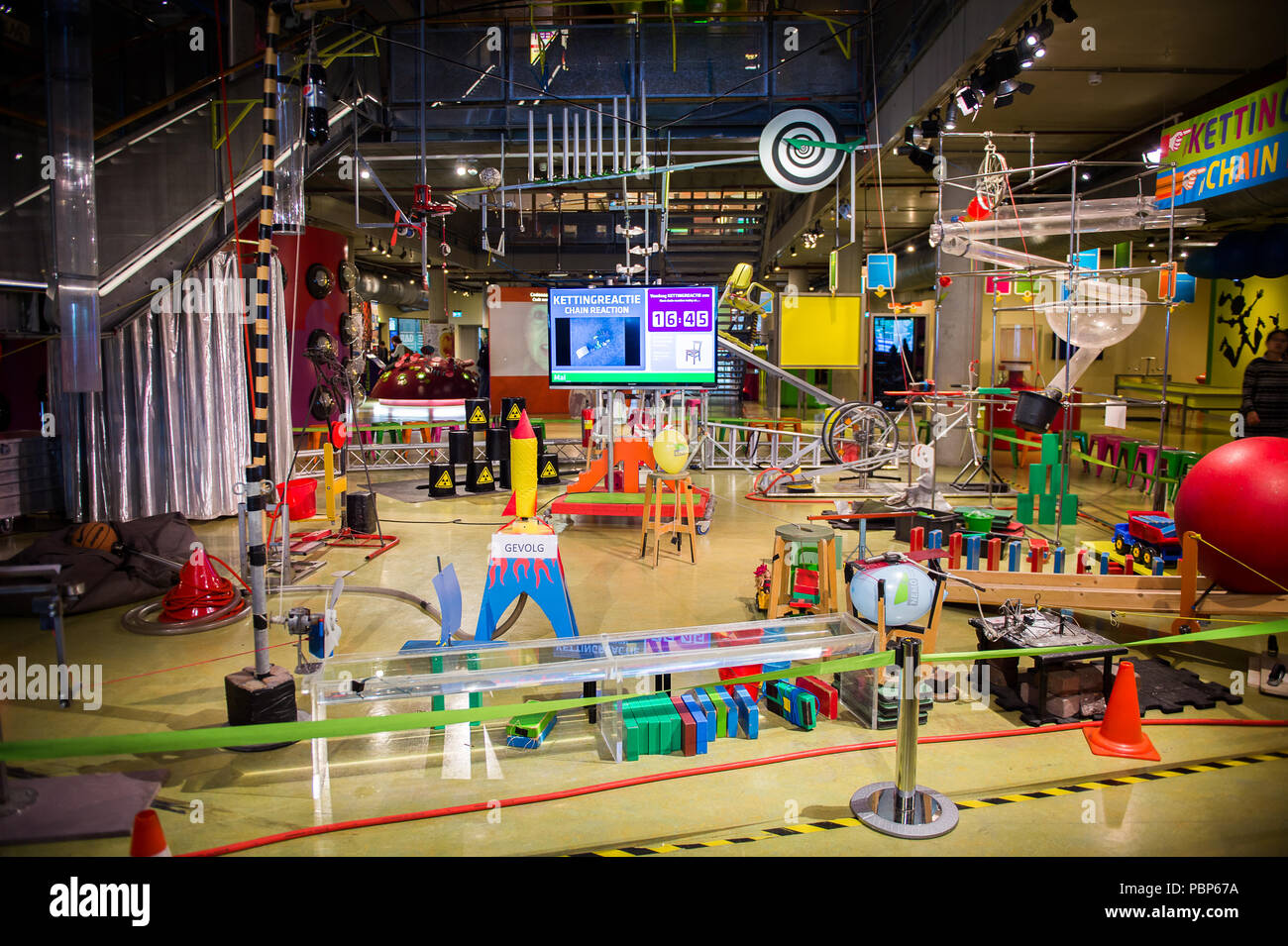
I recently visited Amsterdam with my family. At Amsterdam there is a science museum called NEMO. It's specifically for children to learn about science. There were all sorts of experiments and contraptions the kids could interact with, from electricity, to sound, motion, pulleys and more.

But one of the exhibitions caught my eye: The Chain Reaction NEMO-chain-reaction

The "Chain Reaction" is a scheduled live demonstration/show at NEMO that explores the principles of cause & effect, and potential and kinetic energy.

  • It features large-scale contraptions and setups (dominoes, rolling chairs, seesaws, flying cars, etc) showing how one action triggers the next. Wikipedia

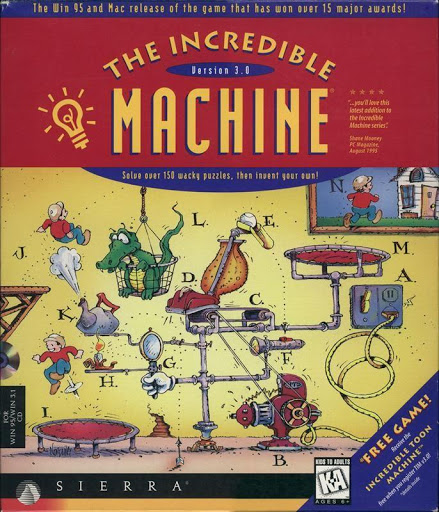
This exhibition took me back to the 90s as a kid, playing the old game: Incredible Machine:

the-incredible-machine

This is a classic contraption puzzle where things like a hamster/mouse wheel, ropes, pulleys, fans, etc. trigger chain reactions. We built all sorts of funny contraptions just like the one at NEMO as a kid, we could play this for hours, everybody tried to incorporate everything they could into their contraptions, it was amazing fun.

Through the eyes of a child, the chain reaction is very captivating, the kids try and imagine just how this thing is going to well, and how Incredible it will be.

But unfortunately for me I'm no longer a kid, and when I looked at this contraption, I saw this thing through the eyes of an engineer, a DevOps engineer. I know from real-life experience these sorts of contraptions, are not ideal from an operations support POV. The issue lies in the fact that if anyone of these sub-systems breaks, then the whole reaction will no longer work. In real life, real physical systems do not behave like they do on the computer. In the Incredible Machine, when you ran your reaction, the behavior was exactly the same each time, but in real-life this is rarely the case.

The whole exhibition was one long Series Chain System Structure:

System Structure

System StructureFormulaEffectEngineering Example
Series (Chain)(R=R1×R2××Rn)(R = R_1 \times R_2 \times \dots \times R_n)Reliability decreases as chain growsAPI call chain (Auth → Service A → Service B → DB)
Parallel (Redundant)(R=1(1Ri))(R = 1 - \prod(1 - R_i))Reliability increases with redundancyLoad-balanced servers, RAID storage
HybridMix of bothBalance of fragility and resilienceMicroservices with retries, caches, circuit breakers

Game time

I placed my bets! I told my wife I predict this thing won't work flawlessly, that something will break. Over time each of these systems may be slowly becoming less reliable. But lets say for argument sake there are 100 sub-systems, and each one fails every 200 attempts. That means:

(111000)200=0.606(1 - \frac{1}{1000})^{200} = 0.606

Which means a 60.6%60.6\% chance of success. But hey, I'm pessimistic.

Chain Reaction Start

The host searched for a volunteer child, there were no shortages. One girl was eventually selected. She was given a helmet👷‍♀️ to wear (safety first) given way too mich instructions for a small task but anyway eventually she started the reaction. And off went all the contraptions, a flame 🔥 turns on, and cuts a rope , a toy 🚗 crashes into something, a 🎱 ball rolls down something etc. I honestly couldn't recite anything near the actual order, it's overwhelming all the different objects and motions.

But eventually the experiment got to a hammer, which swang down to cut a rope of some sort of suspended mass so it could fall. But instead of the rope allowing the object overhead to free fall, it gets caught on the hammer 🔨 wrapping around it, stopping the experiment.

Missed Opportunity for Learning

When things go wrong this is the best learning I've found. Things going right in tech don't really teach you anything. Everything works till it doesn't. Yes sure there was a fault in the reaction, and our instinct is to jump on to the issue and fix it. Just like bugs 🐞 is Software. But often a bug should not disrupt an entire process/transaction. It's sometimes better to ask why any sort of problem, is so decremental to the system, and how it could be made more resilient as a whole. And unfortunately the reliability of this system is not really anything to do with one bug, but more the structure of the system.

How to Mitigate

We are always constrained when developing technical solutions, whilst running everything with a redundant parallel experiment might theoretically seem like a good idea, it's not really an option. Instead the technician provided redundancy, manually starting the next link. There are other patterns though which may be applicable, such as retry, which reminds me of a Queue-Consumer scenario. As I write this I see that I am worried I am seeing the world in Software Components 😕.

Where to from here

In the future I predict we will start to see the structure of these solutions in the tech world driven by LLMs. What is meant by Reliability will be more and more hard to define, and will be disconnected from the logical flow of code, or the cause and effect in a chain reaction not too unlike that of what was at NEMO.